How to Target Website Visitors Based on Order History
Two visitors viewing the same product can have completely different customer value, loyalty and purchase intent.

Most websites still personalize their content based only on current session like
products viewed, cart value, traffic source. But the most valuable personalization data already exists somewhere else - inside your customer and order database:
A returning customer who previously spent €2,000 should not see the same message as a first-time visitor.
A customer regularly buying premium products should not receive aggressive discount popups.
A visitor repeatedly purchasing products from one category should see highly relevant recommendations instead of generic banners.
This is where the combination of samba.ai Data Lake and Tango.ad becomes powerful.
Samba Data Lake provides unified customer and order data. Tango.ad uses this data in real time to personalize web layers, banners, embedded boxes, and customer journeys directly on the website. Samba Data Lake combines data from multiple sources, including:
ecommerce platforms
CRM systems
email marketing tools
loyalty systems
customer support platforms
offline sales systems
Instead of working with isolated systems, Samba Data Lake creates one unified customer profile by using all privided data. This unified structure allows real-time personalization engines like Tango.ad to work with historical customer intelligence during the actual website visit, including:
identifying VIP customers
recognizing discount-dependent buyers
detecting churn-risk customers
personalizing based on favorite categories
suppressing irrelevant campaigns
Login into Samba Data Lake and select the Orders feed as your data source
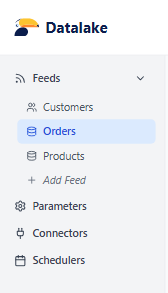
Copy the Orders Entity ID From the Export Feed URL

(00000000-0000-0000-0000-000000000000 in our example)
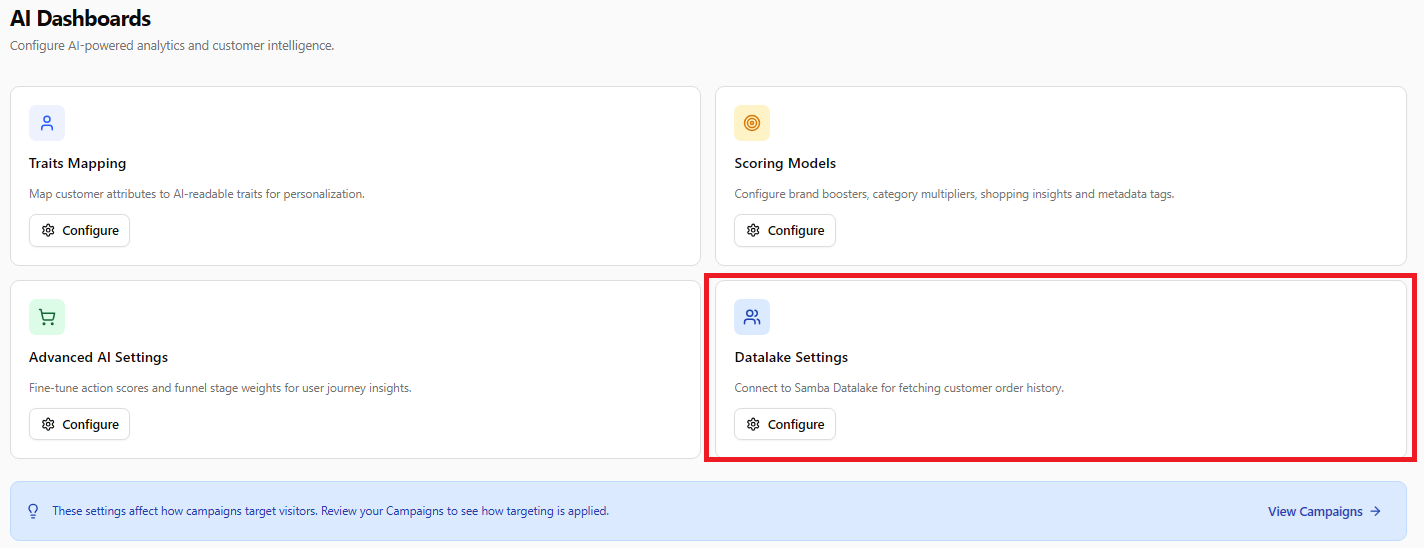
Open Datalake Settings in Tango.ad
Login into Tango.ad and navigate to AI Dashboard -> Datalake settings:
Fill Connection Details
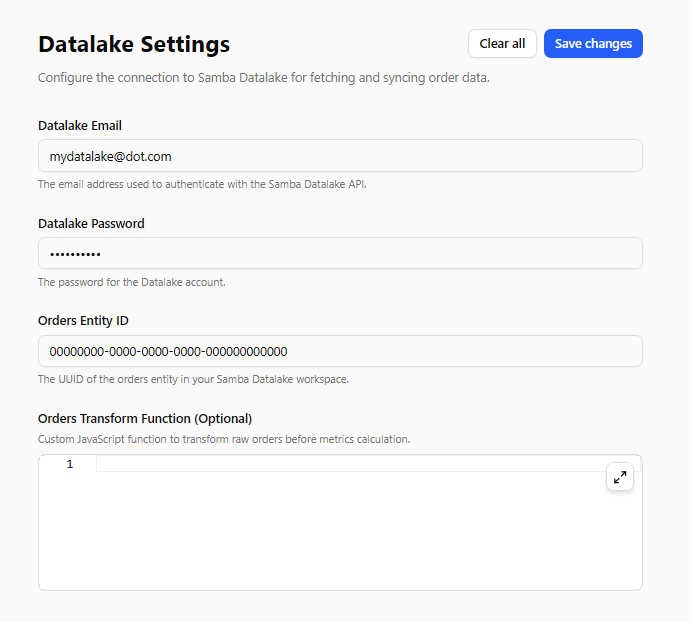
Optional — Custom Transformation Logic
If you need advanced segmentation logic, Tango.ad also supports custom transformation functions. Transformation logic converts raw order data into marketer-friendly customer traits that can later be used for segmentation. This is useful for custom loyalty points calculations, promo-share calculations, B2B/B2C distinction and other custom metrics.
For personalization to work, Tango.ad first needs to identify the visitor. Tango.ad automatically supports profile stitching. If a user:
logs into the website,
submits an email inside a popup,
completes a form,
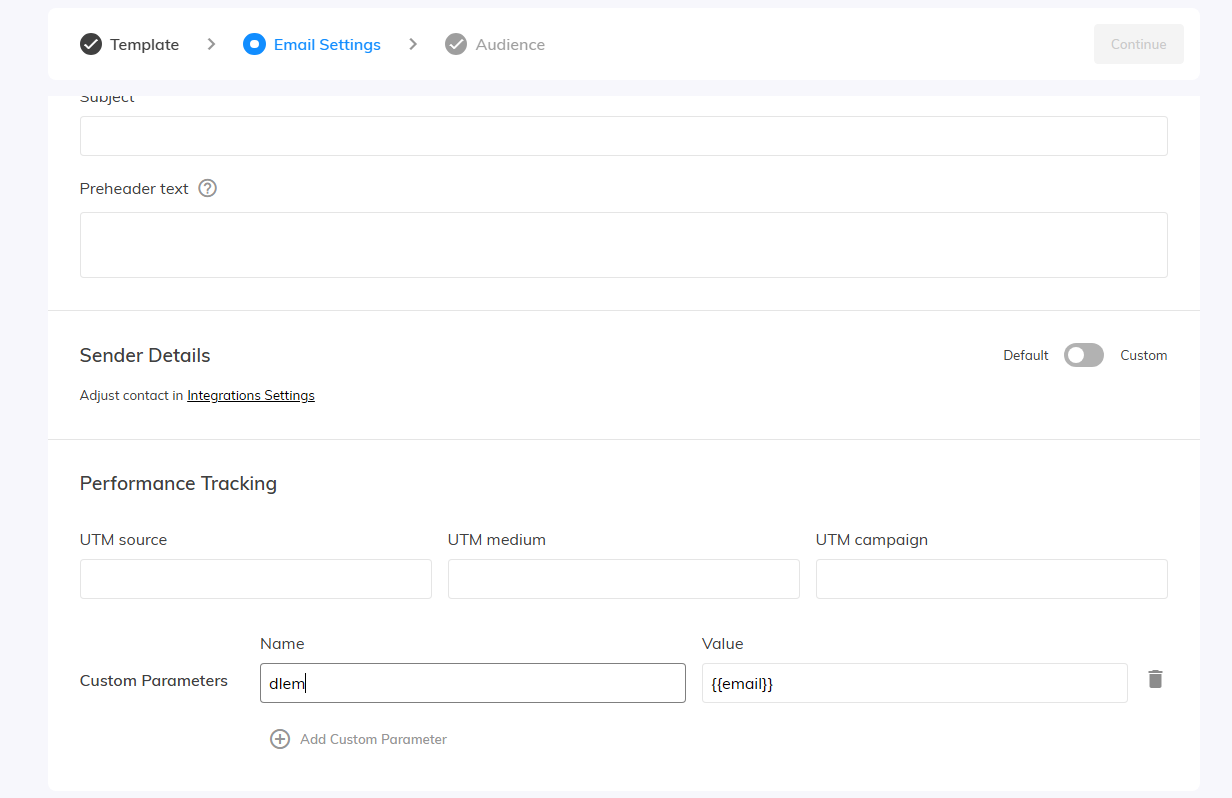
clicks an email campaign link with special indetificator included,
Another way to identify visitors is by using URL query parameters. Supported parameters:
dlem = Data Lake email
dlcid = Data Lake customer ID
Examples:
yourpage.com/dlem=customer@email.com yourpage.com/dlcid=11111
In Samba.ai email campaigns, you can automatically append these parameters to links so customer profiles are identified immediately after the visitor opens the website. This enables highly personalized website experiences directly from email campaigns.
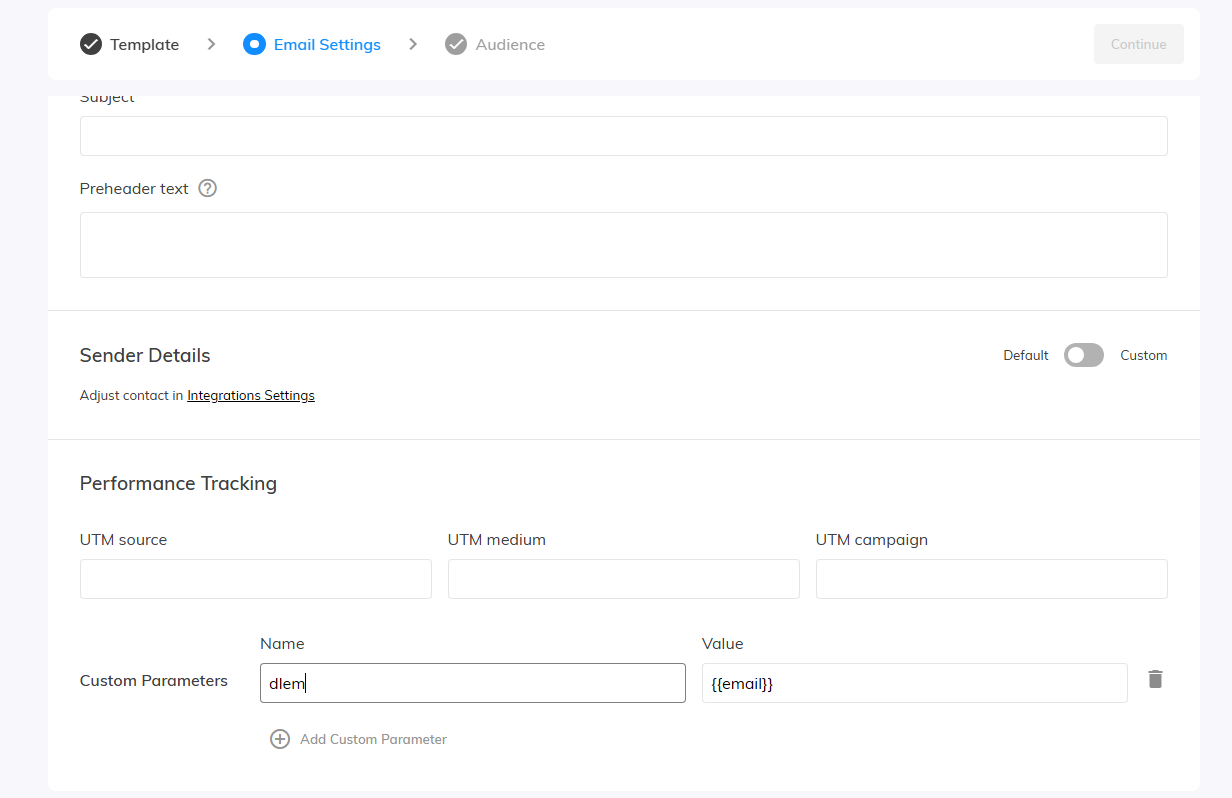
After successful customer identification, Tango.ad loads customer order profile data in real time. You can then use this information to target specific visitors with highly personalized content. To create segmentation rules:
Open Workflow Designer in Tango.ad
Select Conditions section
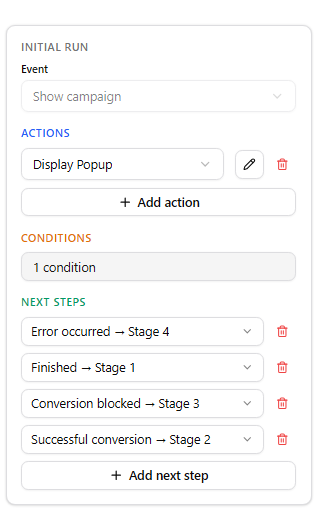
Click +Add condition button and change condition type to Custom segment
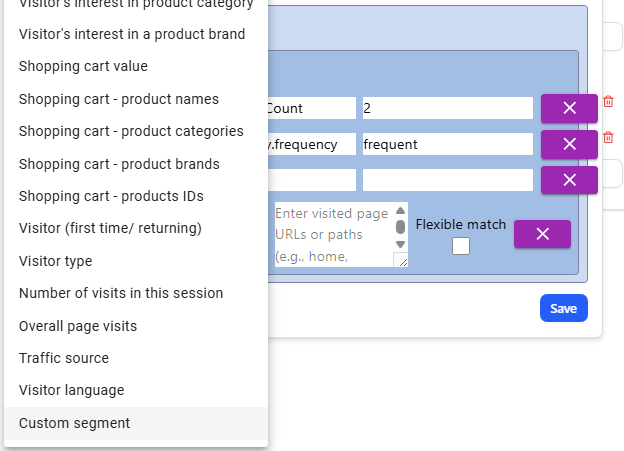
Insert segmentation option according your needs. All order-related segmentations are stored inside the orders JSON object. The structure may contain sections such as
customer
clv
loyalty
products
purchaseIntent
Example - target visitors with more than 2 completed orders:

Most personalization tools work only with current visitor behavior.
The combination of Samba.ai Data Lake and Tango.ad allows marketers to combine:
historical order data,
customer loyalty,
product preferences,
real-time visitor intent,
advanced segmentation logic.
The result is significantly more relevant customer journeys and more precise website personalization.
For more advanced targeting examples and available order-trait structures, check the tutorial:“How to Target Website Visitors Based on Order History”.
Two visitors viewing the same product can have completely different customer value, loyalty and purchase intent.
Your website already generates opportunities. Tango helps you turn more of them into customers.